Accessibility statement

We want everyone to be able to use our website www.osttirol.com - including people with disabilities. In this statement, we show what we are doing to ensure that our website www.osttirol.com/ is accessible. In doing so, we adhere to the rules of the European Accessibility Act (EAA) and the WCAG guidelines.


The Osttirol Tourist Board is committed to inclusion and accessibility. Our goal is to ensure that all users - regardless of physical or technical limitations - can use our website www.osttirol.com independently and without obstacles.

This declaration of conformity describes the functions of www.osttirol.com. We show how we meet the requirements of the following laws and standards

  • European Accessibility Act,
  • EN 301 549,
  • Web Content Accessibility Guidelines (WCAG) 2.2
  • Accessibility Act (BaFG)

We regularly review this declaration and always try to further improve the accessibility of www.osttirol.com. The declaration refers exclusively to www.osttirol.com.
Overview

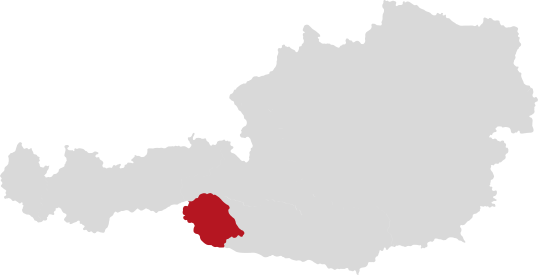
The website www.osttirol.com is the official tourism portal of the TVB Osttirol. The website provides comprehensive information about the tourist offers in the Osttirol region. Users can discover accommodation, excursion destinations, events and activities, read detailed descriptions, view pictures and find out about seasonal offers. The website also offers the opportunity to search for accommodation, check availability and book directly online.


How to use https://www.osttirol.com/ (accessibility & operation)

We strive to make www.osttirol.com easy to use for everyone. Here you will find an overview of how to use it, especially when using assistive technologies.

How to use our website

Operating description

The main navigation on www.osttirol.com can be found at the top of every page. If you are working on desktop, you will find the burger menu at the top left. If you are using a smartphone or tablet, the menu is in the top right-hand corner. There you can access areas such as accommodation, places & regions, activities, events and service information. The search bar above the magnifying glass symbol helps you to quickly find what you are looking for. On the pages about accommodation and offers, you will find titles, images, descriptions, location information and often a direct booking link. Sometimes accommodations do not offer a direct booking option, but you can contact the establishments directly using an inquiry form or the email address or telephone number provided. If you would like to book accommodation, a clearly labeled form will guide you step by step through the booking process.

Accessible functions

We have integrated functions to support different needs. Many of them comply with accessibility standards. The most important ones are described here.


An accessibility widget from Accessiway is available at www.osttirol.com. This allows you to adapt the display of content to your needs. There are predefined profiles, for example

  • a seizure-safe profile,
  • a profile for visually impaired people,
  • an ADHD-friendly profile,
  • a profile for cognitive support,
  • a keyboard navigation profile,
  • and a profile for blind people who work with screen readers.


You can also customize content manually, for example:

  • Scale content,
  • activate an easy-to-read font,
  • highlight titles or links,
  • use a text magnifier,
  • change font size, line height or letter spacing,
  • Align text flush left, centered or flush right,
  • adjust colors and contrasts or show orientation aids.


You can navigate the website entirely using the keyboard (e.g. with the TAB key).


If you need further help using www.osttirol.com, please contact our support team at info@osttirol.com or call +43 50 212 212. We will be happy to help you.

Non-accessible content

Keyboard navigation (video header texts) - Texts in the video header cannot be accessed or controlled using the keyboard.


Text overlapping when zooming (video header) - When zooming in, texts overlap and are difficult to read.


Color-only distinction (links) - Some links differ only by color, which is problematic for people with color vision deficiency.


Aria-described-by error message - Error messages are sometimes not correctly linked to the input fields for screen readers.


Zoom (breadcrumb disappears) - When zooming, the breadcrumb navigation disappears and makes orientation more difficult.


Audio description (YouTube videos) - Videos do not contain an audio description for visually impaired users.


How we meet the requirements

We have checked www.osttirol.com with regard to the following regulations: European Accessibility Act, Barrierefreiheitsgesetz (BaFG), EN 301 549 and WCAG 2.2. We fulfill the following principles:


Perceivable

  • The content is presented in an order that corresponds to the logical and semantic structure and enables assistive technologies to interpret it correctly.
  • Instructions for understanding and operating content do not rely exclusively on sensory characteristics of components such as shape, color, size, visual position, orientation or sound.
  • Changes in text spacing (such as line height, spacing between paragraphs, letters or words) do not result in loss of information or content.


Operable

  • There are no keyboard traps (free navigation to and from all components is possible).
  • No time limits imposed by the content are enforced or, if any, are user-controllable, customizable, extendable or justified by functional or legal requirements.
  • No flashing or flickering content is used that could trigger seizures; safety limits are respected.
  • Skiplinks are implemented to enable quick navigation to the main content and thus improve accessibility and user experience.
  • The screens of the service flow have titles that describe their topic or purpose.
  • Elements that can receive the focus of keyboard navigation are always at least partially visible in the viewport.
  • For user interface components with labels that contain text or text images, the name read by assistive technologies includes the visually displayed text.
  • The clickable area of interactive elements is large enough to ensure easy interaction for users.


Understandable

  • User interface components do not trigger unexpected context changes upon receiving keyboard focus that could confuse users.
  • User interface components, when activated by users via keyboard or assistive technologies, do not trigger unexpected context changes that could lead to confusion.
  • The existing navigation mechanisms are positioned consistently throughout the service flow
  • Recurring elements of the user interface are uniformly designed to facilitate their recognition
  • If an input error is detected and suggestions for correction are known, these are provided to the user, unless legal regulations preclude this


Robust

  • Standardized development technologies are used that can be interpreted by assistive technologies


We test www.osttirol.com with the most common assistive technologies in various combinations of operating systems and browsers:

  • Screen readers such as NVDA and JAWS (Windows) and VoiceOver (Mac and iOS) help us to ensure that all interactive elements are correctly read aloud and operable.
  • We also test the use of screen magnification and high-contrast mode.


Our aim is to be compatible with the latest versions of common tools. We follow the proven methods of WCAG 2.2 and the EN 301 549 standard to ensure that accessibility is maintained even with future technical developments.


Standards: On this basis, we apply the criteria of WCAG 2.2 (AA level, current version) and EN 301 549. Compliance with these standards serves as proof of conformity with the EAA, the Accessibility Act (BaFG) and other relevant regulations.

Ongoing monitoring and maintenance

For us, accessibility is not a one-off project, but an ongoing process. This is how we ensure that www.osttirol.com remains permanently accessible:


  • Accessibility coordination
    An accessibility coordinator monitors all measures relating to www.osttirol.com and can be contacted at marketing@osttirol.com.
  • Accessibility team
    Our experts for website support and digital accessibility check new functions or major changes for potential barriers before they are published. We also monitor changes in laws and standards and take new developments in assistive technologies into account in our updates.
  • Regular training courses
    Our developers and content teams receive ongoing training on accessible website design, e.g. ARIA techniques, sufficient color contrasts and comprehensible link texts. Last training: July 24, 2025.
  • External audits
    On July 16, 2025, we conducted an objective audit by the accessibility experts from AccessiWay.


Feedback and contact

Your feedback helps us to further improve www.osttirol.com. If you encounter any barriers or have any suggestions, you can contact us at any time by e-mail, telephone or post. Please describe the problem as precisely as possible so that we can provide targeted help.


We appreciate feedback from users, especially if something is not working as expected. If you have difficulties accessing content or functions on www.osttirol.com or discover a barrier, we look forward to hearing from you.


Contact details:

Mühlgasse 11, 9900 Lienz, Austria

E-mail: info@osttirol.com

Phone: +43 50 212 212


When you contact us, please be as specific as possible:

  • the affected page or function,
  • what has happened,
  • which assistive technology you are using.


We will confirm your feedback within 2 working days and endeavor to resolve the problem quickly - usually within 10 working days or with an interim status.

Technical report EN301549:

Functional performance data

CriteriaConformity levelNotes and explanations
4.2.1 Use without visionPartially supported
4.2.2 Use with impaired visionPartially supported
4.2.3 Use without color perceptionPartially supported
4.2.4 Use without hearingPartially supported
4.2.5 Use with impaired hearingPartially supported
4.2.6 Use without or with limited speech abilityPartially supported
4.2.7 Use with limited mobility or strengthPartially supported
4.2.8 Use with limited reachPartially supported
4.2.9 Minimize triggers for photosensitive seizuresPartially supported
4.2.10 Use with impaired perception, speech or learning abilityPartially supported
4.2.11 Data protectionPartially supported

General requirements

CriteriaConformity levelNotes and explanations
5.1 Closed functionalityHeading cell, no response requiredHeading cell, no response required

5.1.2 General

Heading cell, no response requiredHeading cell, no response required

5.1.2.1 Closed functionality

See 5.2 to 13See information in 5.2 to 13

5.1.2.2 Supporting technology

See 5.1.3 to 5.1.6See information in 5.1.3 to 5.1.6

5.1.3 Non-visual access

Heading cell, no response requiredHeading cell, no response required
5.1.3.1 Audio output of visual informationNot applicable
5.1.3.2 Audio output including speechNot applicable
5.1.3.3 Correlation of acoustic outputNot applicable
5.1.3.4 Voice output controllable by the userNot applicable
5.1.3.5 Automatic interruption of voice outputNot applicable
5.1.3.6 Voice output for non-text contentNot applicable
5.1.3.7 Voice output for video informationNot applicable
5.1.3.8 Masked inputNot applicable
5.1.3.9 Private access to personal dataNot applicable
5.1.3.10 Non-intrusive audio outputNot applicable
5.1.3.11 Private listening levelNot applicable
5.1.3.12 Loudspeaker volumeNot applicable
5.1.3.13 Reset volumeNot applicable
5.1.3.14 Spoken languagesNot applicable
5.1.3.15 Non-visual error detectionNot applicable
5.1.3.16 Receipts, tickets and transaction outputsNot applicable
5.1.4 Functionality for text enlargementNot applicable
5.1.5 Visual output for auditory informationNot applicable
5.1.6 Operation without keyboardHeading cell, no response requiredHeading cell, no response required
5.1.6.1 Closed functionalitySee 5.1.3.1 to 5.1.3.16See information in 5.1.3.1 to 5.1.3.16
5.1.6.2 Input focusNot applicable
5.1.7 Access without languageNot applicable
5.2 Activation of accessibility functionsNot applicable
5.3 Biometric dataNot applicable
5.4 Preservation of accessibility information during conversionNot applicable
5.5 Operable partsHeading cell, no answer requiredHeading cell, no answer required
5.5.1 Operating optionsNot applicable
5.5.2 Recognizability of operable partsNot applicable
5.6 Locking or tilting devicesHeading, no answer requiredHeading of cell, no response required
5.6.1 Tactile or audible status indicationNot applicable
5.6.2 Visual status

Not applicable

5.7 Key repetitionNot applicable
5.8 Double button operationNot applicable
5.9 Simultaneous user actionsNot applicable

Internet and communication technology (ICT) with bidirectional voice communication

CriteriaConformity levelNotes and explanations
6.1 Audio bandwidth for speechNot applicable
6.2 Real-time text function (RTT)Heading cell, no response requiredHeading cell, no response required
6.2.1.1 RTT communicationNot applicable
6.2.1.2 Simultaneous voice and text transmissionNot applicable
6.2.2.1 Visually distinguishable display
6.2.2.2 Program-controllable transmission and reception directionNot applicable
6.2.2.3 Speaker identificationNot applicable
6.2.2.4 Visual display for audio with RTTNot applicable
6.2.3 InteroperabilityNot applicable
6.2.4 Responsiveness of RTTNot applicable
6.3 Caller IDNot applicable
6.4 Alternatives to voice-based servicesNot applicable
6.5 Video communicationCell heading, no response requiredHeading cell, no answer required
6.5.1 General (informative)Cell heading, no response requiredCell heading, no response required
6.5.2 ResolutionNot applicable
6.5.3 Frame rateNot applicable
6.5.4 Synchronization between audio and video Not applicable
6.5.5 Visual display for audio with videoNot applicable
6.5.6 Speaker identification for video communication (sign language)Not applicable
6.6 Alternatives to video-based services (recommendation only)Recommendation, no answer requiredRecommendation, no response required

Internet and communication technology (ICT) with video functions

CriteriaConformity levelNotes and explanations
7.1 Caption processing technologyCaption cells, no response requiredCaption cell, no response required
7.1.1 Playback of captionsNot applicable
7.1.2 Synchronization of subtitlesNot applicable
7.1.3 Retention of subtitlesNot applicable
7.1.4 Characteristics of subtitlesNot applicable
7.1.5 Spoken subtitlesNot applicable
7.2.1 Playback of audio descriptionsNot applicable
7.2.2 Synchronization of audio descriptionNot applicable
7.2.3 Storage of audio descriptionsNot applicable
7.3 User control for subtitles and audio descriptionNot applicable

Hardware

CriteriaConformity levelNotes and explanations
8.1.1 General requirementsHeading cell, no answer requiredHeading cell, no answer required
8.1.2 Standard connectionsNot applicable
8.1.3 ColorNot applicable
8.2 Hardware products with voice outputHeading cell, no answer requiredHeading cell, no response required
8.2.1.1 Speech volume rangeNot applicable
8.2.1.2 Stepless volume controlNot applicable
8.2.2.1 Fixed network devicesNot applicable
8.2.2.2 Wireless communication devicesNot applicable
8.3 Stationary ICTHeading cell, no answer requiredDirectional cell, no response required
8.3.2.1 Unrestricted forward reachNot applicable
8.3.2.2 Unrestricted downward reachNot applicable
8.3.2.3.1 Free spaceNot applicable
8.3.2.3.2 Obstructed forward reach (< 510 mm)Not applicable
8.3.2.3.3 Restricted (< 635 mm) forward reachNot applicable
8.3.2.4 Width of free space for knees and toesNot applicable
8.3.2.5 Toe clearanceNot applicable
8.3.2.6 Knee clearanceNot applicable
8.3.3.1 Unobstructed upward lateral reachNot applicable
8.3.3.2 Free lateral access belowNot applicable
8.3.3.3.1 Lateral reach with obstacles (≤ 255 mm)Not applicable
8.3.3.3.2 Lateral reach with obstacles (≤ 610 mm)Not applicable
8.3.4.1 Height differenceNot applicable
8.3.4.2 Free floor or ground spaceNot applicable
8.3.4.3.2 Forward travelNot applicable
8.3.4.3.3 Parallel approachNot applicable
8.3.5 VisibilityNot applicable
8.3.6 Installation instructionsNot applicable
8.4 Mechanically operable partsCell heading, no response requiredCell heading, no response required
8.4.1 Numeric keysNot applicable
8.4.2.1 Actuators for mechanical partsNot applicable
8.4.2.2 Actuating force of mechanical partsNot applicable
8.4.3 Keys, tickets and ticketsNot applicable
8.5 Tactile display of the language modeNot applicable

Web (also applies to 10, 11 and 12)

Complies with WCAG 2.2 Level A


Success criteriaConformance levelComments and explanations
1.1.1 Non-textual contentPartially supported

Exceptions are:

- General > Images without or with unnecessary alternative text

- General > Unsuitable alternatives for image buttons

Homepage > Unnecessary alternative text for decorative images

Homepage > Missing alternatives for image links

Homepage > Redundant image and text link with redundant alt text

Contacts > Unnecessary alternative text for decorative images

Contacts > Missing alternative for image links

Legal > Images without or with unnecessary alternative text

Search results > Redundant image and text link with redundant alt text

Offers > Redundant image and text link with redundant alt text

Book vacation > Images without or with unnecessary alternative text

Book vacation > Inappropriate alternative for image buttons

Hotel Detail > Missing alternative for image links

Checkout > Missing alternative text for informative image

Mountain railroads > Redundant image and text link with redundant alt text

Mountain railroads > Scroll button not defined

Mountain railroads > Unnecessary alternative text for decorative images

Mountain railroads > Decorative symbols visible for screen readers

Hiking > Unnecessary alternative text for decorative image

Hiking > Decorative symbols visible for screen readers

Transportation > Redundant image and text link with redundant alt text

Spring > Redundant image and text link with redundant alternative text

Spring > Images without or with unnecessary alternative text

Experiences > Images without or with unnecessary alternative text

1.2.1 Audio only and Video only (pre-recorded)Supported
1.2.2 Subtitles (pre-recorded)Supported
1.2.3 Audio description or media alternative SupportedPartially supported

Exceptions:

Spring > Missing text subtitles for the video

1.3.1 Information and relationshipsPartially supported

Exceptions:

- General > Landmarks not defined

- General > Missing heading markers

- General > Missing explicit assignment of form fields

- General > Missing list markers

Home > Missing heading marker

Contacts > Missing heading marker

Sitemap > Missing heading marker

Search results > Missing heading marker

Search results > Additional information not assigned

Search results > Landmarks not defined

Offers > Missing heading marker

Book vacation > Missing explicit assignment of form fields

Book vacation > Missing heading marker

Hotel Detail > Missing heading marker

Hotel Detail > Modal dialog is not identified programmatically

Checkout > Inappropriate heading structure

Mountain railroads > Missing heading marker

Mountain railroads > Table header and data cells are empty

Hiking > Heading marker used unnecessarily

Weather > Missing heading marker

Means of transportation > Missing heading marker

Spring > Missing heading marker

Experiences > Missing headline marker

Experiences > Missing h1 heading marker

Experiences > Error messages hard to find

1.3.2 Meaningful orderSupported
1.3.3 Sensory propertiesSupported
1.4.1 Use of colorsPartially supported

Exceptions are

Contacts > Color used only to distinguish links

Legal > Color used only to distinguish links

Sitemap > Color used only to distinguish links

Mountain railroads > Color used only to distinguish links

Weather > Color used only to distinguish links

Means of transport > Color used only to distinguish links " "

1.4.2 Audio controlSupported
2.1.1 KeyboardPartially supported

Exceptions:

- General > User-defined drop-down list cannot be operated with a keyboard

- General > Date selection not operable with the keyboard

- General > Content not available for keyboard users

- General > Buttons cannot be operated with the keyboard

- General > Interactive elements do not receive keyboard focus

Homepage > Content not available for keyboard users

Home > Function for showing and hiding not operable with the keyboard

Offers > Buttons cannot be operated with the keyboard

Book vacation > Date selection cannot be operated with the keyboard

Book vacation > Buttons cannot be operated with the keyboard

Checkout > Tooltip content not accessible with the keyboard

Weather > Accordion not set by program

Spring > Buttons not accessible with the keyboard

2.1.2 No keyboard trapSupported
2.1.4 Keyboard shortcutsSupported
2.2.2Supported
2.2.2 Pause, stop, fade outPartially supported

Exceptions are:

- General > No option to control moving, flashing or scrolling content

Hike > No option to control moving, flashing or scrolling content

2.3.1 Three flashing signals or below the threshold valueSupported
2.4.1 Bypass blockingSupported
2.4.2 Page titleSupported
2.4.3 Focus orderPartially supported

Exceptions:

- General > Keyboard focus not restricted in modal dialogs

Contacts > Hidden content receives keyboard focus

Offers > Hidden content receives keyboard focus

Book vacation > Focus does not jump to the newly added element

Mountain railroads > Hidden content receives keyboard focus

Experiences > Non-interactive elements receive keyboard focus

Experiences > Date selection control not operable with a keyboard

2.4.4 Purpose of the link (in context)Partially supported

Exceptions:

Home > Non-descriptive link text

Contacts > Non-descriptive link text

Search results > Non-descriptive link text

Search results > Identical link text

Offers > Non-descriptive link text

Mountain railroads > Non-descriptive link text

Hiking > Non-descriptive link text

2.5.1 Pointer gesturesSupported
2.5.2 Pointer overrideSupported
2.5.3 Designation in the nameSupported
2.5.4 Motion triggeringSupported
3.1.1 Language of the pagePartially supported

Exceptions:

Migration > Part of the language not identified

3.2.1 With focusSupported
3.2.2 On inputSupported
3.2.6 Consistent helpSupported
3.3.1 Error detectionPartially supported

Exceptions:

Checkout > Missing suggestions for troubleshooting

3.3.2 Labels or instructionsPartially supported

Exceptions:

- General > Use of placeholders as visual labels

Search results > Use of placeholders as visual labels

Book vacation > Missing visual label for form fields

Checkout > Use of placeholders as visual labels

3.3.7 Redundant inputSupported
4.1.1 ParsingSupported
4.1.2 Name role valuePartially supported

Exceptions are:

- General > Modal dialog is not identified programmatically

Legal > Alternative for screen buttons is missing

Search results > Button does not have an accessible name

Search results > Current status is not defined

Offers > Modal dialog is not identified programmatically

Book vacation > Carousel not identified as program-controlled

Book vacation > Slider not defined program-controlled

Hotel Details > Accessible label for button is missing

Checkout > Dropdown not defined programmatically

Hike > Scroll button not defined

Hike > Carousel not defined under program control

Weather > Scroll button not defined

Transportation > Scroll button not defined

Spring > Scroll button not defined

Spring > Current state not defined

Spring > Carousel not defined programmatically

Spring > Missing iframe title

Experiences > Status not defined

Experiences > Dynamically updated content not announced for screen reader users

Experiences > Expand/Reduce state not defined programmatically

Complies with WCAG 2.2 Level AA


Success criteriaConformance levelNotes and explanations
1.2.4 Captions (Live)Supported
1.2.5 Audio description (pre-recorded)Partially supported

Exceptions are:

Spring; Missing audio description for the video

1.3.4 OrientationSupported
1.3.5 Identify purpose of inputPartially supported

Exceptions:

- General > Purpose of input field not identified programmatically

Search results > Purpose of the input field not identified by the program

Book vacation > Purpose of the input field not identified by the program

1.4.3 Contrast (minimum requirements)Partially supported

Exceptions:

Search results > Insufficient color contrast for text

Offers > Insufficient color contrast for text

Offers > Insufficient color contrast for the frames of form control elements

Book vacation > Insufficient color contrast for text

Checkout > Insufficient color contrast for text

Experiences > Insufficient color contrast for text

1.4.4 Change text sizePartially supported

Exceptions:

- General > Text overlaps with standard browser zoom

Home > Content is not rearranged

Contacts > Content not available, overlaps or is cut off at 200% zoom

Mountain railroads > Content not available at 200% zoom

Weather > Content not available at 200 % zoom

Transportation > Content not available, overlapping or cut off at 200 % zoom

1.4.5 Images of textPartially supported

Exceptions:

Hotel Details > Image used by text

Means of transportation > Image used by text

1.4.10 Responsive rearrangement (reflow)Partially supported

Exceptions:

Home > Content not available, overlapped or cut off at 200% zoom

Contacts > Content is not rearranged

Mountain railroads > Content is not rearranged

Weather > Content is not rearranged

Means of transportation > Content is not rearranged

1.4.11 Contrast of non-textPartially supported

Exceptions:

Search results > Insufficient color contrast for the frames of form controls

Book vacation > Insufficient color contrast for the frames of form controls

Checkout > Insufficient color contrast for the frames of form controls

Hike > Insufficient color contrast for informative images

Experiences > Insufficient color contrast for user interface controls

1.4.12 Text spacingSupported
1.4.13 Content at mouse pointer or focusPartially supported

Exceptions are

- General > Insufficient color contrast for text

2.4.5 Multiple optionsSupported
2.4.6 Headings and captionsPartially supported

Exceptions are:

Experiences > Non-descriptive labels for buttons

2.4.7 Focus visiblePartially supported

Exceptions:

- General > Focus not visible

- General > Hidden content receives keyboard focus

2.4.11 Focus not hidden (minimum)Supported
2.5.7 Drag movementsSupported
2.5.8 Target size (minimum)Supported
3.1.2 Language of partsSupported
3.2.3 Standardized navigationSupported
3.2.4 Uniform identificationSupported
3.3.3 Error messagesSupported
3.3.4 Fault avoidance (LFD)Supported
3.3.8 Barrier-free authentication (minimum requirements)Supported
4.1.3 Status messagesPartially supported

Exceptions:

- General > Dynamic updating of content that is not announced to screen reader users

Offers > Search results are not identified programmatically

Checkout > Loading message is not announced for screen reader users

Non-web documents

CriteriaConformity levelNotes and explanations
10.0 General (informative)Heading cell, no answer requiredHeading cell, no answer required
10.1.1.1 to 10.4.1.3See WCAG 2.2 sectionSee information in WCAG 2.2 section
10.5 Positioning of captionsNot applicable
10.6 Timing of audio descriptionNot applicable

Software

CriteriaConformity levelNotes and explanations
11.0 General (informative)Heading cell, no answer requiredHeading cell, no answer required
11.1.1.1 to 11.4.1.3See WCAG 2.2 sectionSee information in WCAG 2.2 section
11.5 Interoperability with assistive technologyHeading cell, no answer requiredHeading cell, no response required
11.5.1 Closed functionalityHeading cell, no response requiredHeading cell, no answer required
11.5.2 Accessibility servicesHeading cell, no answer requiredHeading cell, no response required
11.5.2.1 Support for platform accessibility services for software that provides a user interfaceSee 11.5.2.5 to 11.5.2.17See information in 11.5.2.5 to 11.5.2.17
11.5.2.2 Support for platform accessibility services for assistive technologiesSee 11.5.2.5 to 11.5.2.17See information in 11.5.2.5 " " to 11.5.2.17
11.5.2.3 Use of accessibility servicesSee information in 11.5.2.5 to 11.5.2.17See information in 11.5.2.5 to 11.5.2.17
11.5.2.4 Supported technologyNot applicable
11.5.2.5 Object informationNot applicable
1.5.2.6 Rows, columns and headingsNot applicable
11.5.2.7 ValuesNot applicable
11.5.2.8 Relationships between labelsNot applicable
11.5.2.9 Parent-child relationshipsNot applicable
11.5.2.10 TextNot applicable
11.5.2.11 List of available actionsNot applicable
11.5.2.12 Execution of available actionsNot applicable
11.5.2.13 Tracking focus and selection attributesNot applicable
11.5.2.14 Changing focus and selection attributesNot applicable
11.5.2.15 Change notificationNot applicable
11.5.2.16 Changes to states and propertiesNot applicable
11.5.2.17 Changes to values and textNot applicable
11.6 Documented accessibilityHeading cell, no answer requiredHeading cell, no response required
11.6.1 User control over accessibility featuresNot applicable
11.6.2 No impairment of accessibility featuresNot applicable
11.7 User settingsNot applicable
11.8 Authoring toolsHeading cell, no response requiredHeading cell, no response required
11.8.1 Content technologyHeading cell, no response requiredHeading cell, no answer required
11.8.2 Accessible content creation

See WCAG 2.2 section

(If no authoring tool, enter "Not applicable")

See information in WCAG 2.2 section
11.8.3 Preservation of accessibility information during conversionsNot applicable
11.8.4 Help with repairNot applicable
11.8.5 TemplatesNot applicable

Documentation and support services

CriteriaConformity levelNotes and explanations
12.1 Product documentationHeading cell, no answer requiredHeading cell, no answer required
12.1.1 Accessibility and compatibility featuresNot applicable
12.1.2 Accessible documentationSee section WCAG 2.2See information in section WCAG 2.2
12.2 Support servicesHeading cell, no response requiredHeading cell, no answer required
12.2.2 Information on accessibility and compatibility featuresNot applicable
12.2.3 Effective communicationNot applicable
12.2.4 Accessible documentationSee WCAG 2.2 sectionSee information in WCAG 2.2 section

Internet and communication technology (ICT): provision of relay or emergency services

CriteriaConformity levelNotes and explanations
13.1 Requirements for relay servicesHeading cell, no response requiredHeading cell, no response required
13.1.2 Text relay servicesNot applicable
13.1.3 Sign relay servicesNot applicable
13.1.4 Lip reading servicesNot applicable
13.1.5 Captioned telephone servicesNot applicable
13.1.6 Voice-to-Voice Relay ServicesNot applicable
13.2 Access to switching servicesNot applicable
13.3 Access to emergency servicesNot applicable

Accessibility

Disability is defined as: any limitation of activity or participation in social life experienced by a person due to a substantial, permanent or definitive modification of one or more physical, sensory, mental, cognitive or psychological functions, a multiple disability or a health impairment (Article L. 114 of the Social and Family Code).


Web accessibility consists of making public online communication services accessible to people with disabilities and is based on four basic principles:


Perceivable: Information and user interface components must be presented to the user in such a way that they can perceive them. For example, all non-textual content must be replaced by text equivalents, which can then be presented in a different form depending on the user's needs: large font, Braille, voice output, symbols or simplified language.


Operable: The user interface and navigation components must be operable. For example, all functions must be available via the keyboard.


Understandable: Information and the use of the user interface must be understandable. Text content must be legible and navigation must be consistent.


Robust: Content must be sufficiently robust to be reliably interpreted by a variety of user agents, including assistive technologies.

Test environments

Operating systems

  • Apple Mac OS X (latest version)
  • Microsoft Windows (latest version)
  • Apple iOS (latest version)
  • Google Android (latest version)


We did not use Linux as it is currently very rare among users with disabilities.


Browser and application software

In the latest versions available on the different operating systems:

  • Google Chrome
  • Windows Edge
  • Safari
  • Adobe Acrobat Reader / Preview on Mac (only for PDF files)


Screen readers and assistive technologies

In order to achieve as standardized an evaluation as possible, we test everything without adjustments.

In order to achieve as realistic an assessment as possible, we also make some adjustments, such as

  • Graphical adjustments on the different systems (colors, contrasts, subtitles, etc.)
  • Mouse emulations, magnification programs and on-screen keyboards or improved keyboard settings, always for the different systems
  • Voiceover - Apple systems only
  • Talkback - Android only
  • NVDA (latest version) and Freedom Scientific Jaws (penultimate version) - PC systems only

Methodology

We analyze content with various automated and semi-automated systems and compare the results of the different tools to obtain the most complete and objective review possible. Unless explicitly stated otherwise, we always use the latest reference standard (WCAG 2.2) so that we can ensure compliance in all countries from which the touchpoint (website, app, etc.) can be accessed.


Our review therefore meets the requirements of WCAG 2.2 level AA and the requirements of the UNI EN 301549 guidelines or their implementation in the French RGAAs. Each tool provides results that are then analyzed by our experts: It is therefore possible that not all tool results are displayed as they have been assessed as false negatives.


Automated syntax checking tools

  • W3C Markup Validation Service: used with generated code as it is the official tool for validating HTML, XHTML, MathHTML, etc.https://validator.w3.org/
  • W3C CSS Validation Service: although the correctness of the CSS has no impact on accessibility, it could have an impact on some aspects that nevertheless have an impact on accessibility if they are not interpreted correctly due to errors. The check is therefore useful and is carried outwith jigsaw.w3.org/css-validator/.
  • PAC PDF checker: https: //pdfua.foundation/en/pdf-accessibility-checker-pac/


Automatic and semi-automatic tools for color checking


Automatic and semi-automatic accessibility checking tools


Some online validators used as examples on the pages:


And other local tools:

  • Web developer toolbar: To support manual validation. This enabled us to find images without alt texts, fields without labels, etc. chrispederick.com/work/web-developer/
  • AXE and Lighthouse for Chrome: These tools provided us with precise indications of deficiencies in the accessibility of the HTML code, but also of WAI-ARIA attributes, which are essential for web applications and interactive components.
  • Siteimprove for Chrome: Like AX, it provides useful indications for checking compliance, but is a tool evaluated by AgID that is useful for monitoring public websites.

Terms

The terms used in the compliance level information are defined as follows:


Supported: The functionality of the product has at least one method that meets the criterion with no known deficiencies or provides equivalent facilitation.


Partially supported: Some functionality of the product does not meet the criteria.


Not supported: The majority of the product's functionality does not meet the criterion.


Not applicable: The criterion is not relevant for the product.


Not evaluated: The product has not been assessed against the criterion. This can only be used for WCAG level AAA criteria.

Newsletter

Subscribe to our newsletter and receive the best tips every month for current offers, mountain tours, events and much more.